Filtro anti-spam para Telekom Mail en iPhone
Reduce el spam, el phishing y el correo no deseado en tu bandeja de entrada de Telekom Mail en iPhone, sin cambiar tu dirección ni tu app de correo.
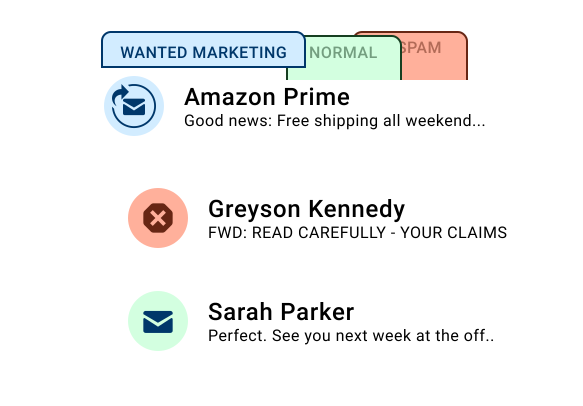
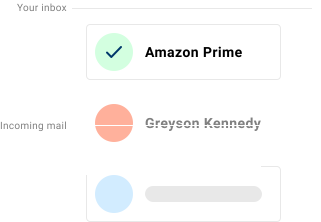
Spamdrain funciona con tu correo de Telekom Mail para reducir el correo no deseado en iPhone. Supervisa tu buzón y elimina rápidamente los mensajes no deseados, para que puedas conservar tu dirección y tus apps.
Los usuarios de Telekom Mail en iPhone suelen alternar entre el correo en navegador y Apple Mail. Spamdrain supervisa el buzón y elimina rápidamente los mensajes no deseados de Telekom Mail.
Consulta la guía principal del filtro de spam para Telekom Mail

Qué filtra Spamdrain en iPhone
Spamdrain funciona independientemente de tu dispositivo iPhone y de tu app de correo.
- Newsletters basura y correo masivo
- Mensajes de phishing y estafa
- Correos suplantados que aparentan ser remitentes de confianza
- Remitentes no deseados repetitivos
Revisa en cualquier momento el correo bloqueado y permite mensajes filtrados por error.
Por qué el spam sigue apareciendo en iPhone
La mayor parte del filtrado ocurre a nivel del proveedor. Aunque Telekom Mail bloquea parte del spam, el graymail y las técnicas cambiantes aún pueden colarse, así que una capa extra ayuda a mantener limpia tu bandeja.

Cómo funciona Spamdrain con Telekom Mail en iPhone
Conecta tu correo de Telekom Mail
Vincula tu buzón de Telekom Mail una sola vez. No hace falta cambiar de app.
Revisamos cada correo entrante
Spamdrain filtra spam, estafas y graymail antes de la entrega.
El spam y las estafas se filtran
Los mensajes sospechosos se apartan para que tu bandeja siga limpia.
Lee el correo con normalidad en iPhone
Sigue usando tus apps de correo favoritas de iPhone como siempre.
Compatible con apps de correo de iPhone
- Apple Mail
- Outlook for iOS
- Gmail app
No necesitas instalar una app separada de iPhone para beneficiarte del filtrado.
Privacidad y control
- Revisa el correo bloqueado cuando quieras
- Permite remitentes con un clic
- Ajusta el nivel de filtrado
- Tu correo sigue siendo privado y está bajo tu control
Comentarios de los clientes

Tus datos permanecen privados
Nos pagas una pequeña tarifa para que nunca tengamos que vender tus datos a nadie (a diferencia de otros). En vez de ello, nos centramos por completo en proporcionarte el mejor filtro de spam del mundo.
Preguntas frecuentes
Si necesitas información oficial sobre la cuenta o la configuración, estos recursos pueden ayudarte:
Detén el spam de Telekom Mail en iPhone
Empieza tu prueba gratuita de 14 días y mantén limpia tu bandeja.