Filtro anti-spam para la bandeja de entrada de Telia - detén el correo no deseado de forma eficaz
Limpia tu bandeja de entrada de Telia en iPhone, Android, Outlook y webmail, sin cambiar tu dirección de correo.
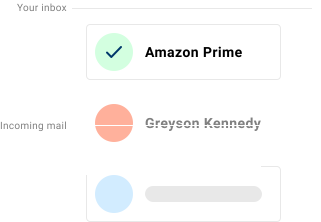
Si tu bandeja de entrada de Telia se está llenando de correo no deseado, intentos de phishing y mensajes de marketing no deseados, Spamdrain añade una capa extra de filtrado y elimina rápidamente los mensajes no deseados a medida que llegan.
Telia incluye filtrado anti-spam básico, pero muchos usuarios siguen recibiendo newsletters, graymail y phishing mezclados en la bandeja de entrada. Spamdrain filtra ese ruido y aprende rápido con tus comentarios.
Los usuarios de Telia suelen leer el correo en webmail, Apple Mail o clientes móviles. Spamdrain supervisa el buzón y elimina rápidamente el correo basura a medida que llegan nuevos mensajes.
Detenemos el spam y el correo basura
Spamdrain se centra en los tipos de correo que más a menudo se cuelan entre los filtros integrados:
- Newsletters basura y promociones
- Intentos de phishing y remitentes suplantados
- Graymail que llena tu bandeja de entrada
- Enlaces y archivos adjuntos maliciosos
Problemas habituales en la bandeja de entrada de Telia
- campañas promocionales de tiendas y viajes
- estafas de entrega de paquetes en sueco e inglés
- mensajes para robar credenciales que aparentan ser comprobaciones de servicio
- remitentes molestos que reaparecen después de ser bloqueados
Configuraciones populares:
Por qué el spam sigue llegando a las bandejas de entrada de Telia
Los spammers cambian constantemente de táctica y a menudo parecen legítimos. Los filtros de los proveedores deben equilibrar los falsos positivos, por eso parte del correo basura consigue pasar.
Un filtro dedicado añade otra capa y elimina rápidamente el correo no deseado de tu buzón para que tu bandeja de entrada de Telia se mantenga más limpia.
Una elección frecuente en Suecia, especialmente entre clientes residenciales de banda ancha de Telia.

Cómo funciona Spamdrain con Telia
Conecta una vez y sigue usando tus apps favoritas.
Conecta tu buzón
Añade Spamdrain en pocos minutos. No hace falta cambiar de dirección.
Analizamos el correo entrante
Spamdrain revisa newsletters, graymail, phishing y suplantación antes de la entrega.
El correo basura se pone en cuarentena
El spam sospechoso se retiene para que tu bandeja siga limpia.
Tú sigues teniendo el control
Revisa informes, permite remitentes y ajusta el filtrado cuando quieras.
Comentarios de los clientes

Tus datos permanecen privados
Nos pagas una pequeña tarifa para que nunca tengamos que vender tus datos a nadie (a diferencia de otros). En vez de ello, nos centramos por completo en proporcionarte el mejor filtro de spam del mundo.
Preguntas frecuentes
Toma el control de tu bandeja de entrada de Telia
Empieza tu prueba gratuita y deja que Spamdrain limpie el desorden.