Spam filter for Telia on iPhone
Reduce spam, phishing, and junk mail in your Telia inbox on iPhone - without changing email address or app.
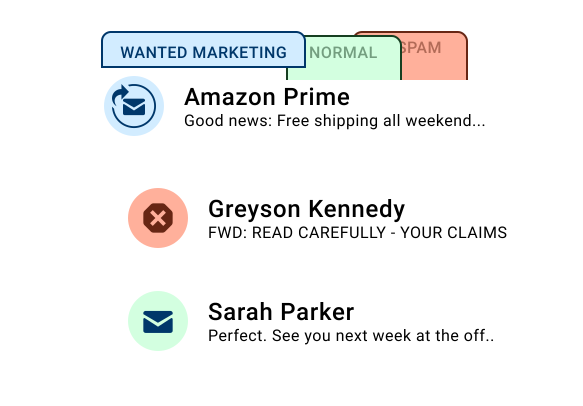
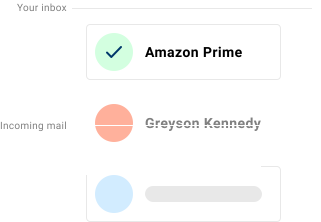
Spamdrain works with your Telia email to reduce unwanted mail on iPhone. It monitors your mailbox and removes unwanted messages quickly, so you can keep your address and apps.
Telia inboxes on iPhone are commonly read in Apple Mail and regional mail apps. Spamdrain monitors the mailbox and removes unwanted messages quickly.
What Spamdrain filters on iPhone
Spamdrain works independently of your iPhone device and email app.
- Junk newsletters and mass email
- Phishing and scam messages
- Spoofed emails pretending to be trusted senders
- Repetitive unwanted senders
Review blocked email anytime and allow messages that were filtered by mistake.
Why spam still appears on iPhone
Most filtering happens at the provider level. While Telia blocks some spam, graymail and evolving spam techniques can still slip through, so an extra layer helps keep your inbox clean.

How Spamdrain works with Telia on iPhone
Connect your Telia email
Link your Telia mailbox once. No app change needed.
We check every incoming email
Spamdrain filters spam, scams, and graymail before delivery.
Spam and scams are filtered out
Suspicious messages are held back so your inbox stays clean.
Read email normally on iPhone
Keep using your favorite iPhone email apps as usual.
Compatible with iPhone email apps
- Apple Mail
- Outlook for iOS
- Gmail app
You don’t need to install a separate iPhone app to benefit from filtering.
Privacy and control
- Review blocked email anytime
- Allow senders with one click
- Adjust filtering strictness
- Your email remains private and under your control
Så här säger våra kunder

Din information förblir privat
Du betalar en liten avgift så att vi aldrig behöver sälja din data till någon (till skillnad från många andra företag). Istället fokuserar vi helt och hållet på att ge dig världens bästa spamfiltrering.
Vanliga frågor
If you need official setup or account information, these resources may help:
Stop Telia spam on iPhone
Start your free 14-day trial and keep your inbox clean.