Spamfilter für Bouygues Telecom Postfach – Spam-Mails wirksam stoppen
Räumen Sie Ihr Bouygues Telecom Postfach auf iPhone, Android, Outlook und im Webmail auf – ohne neue E-Mail-Adresse.
Auch bekannt als Bbox Mail, bbox.fr.
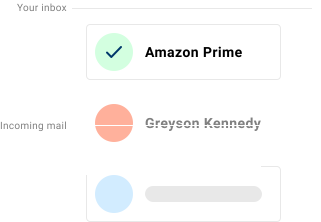
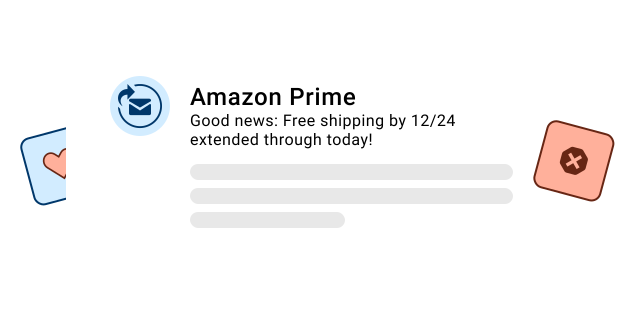
Wenn sich in Ihrem Bouygues Telecom Postfach Spam, Phishing-Versuche und unerwünschte Werbung sammeln, ergänzt Spamdrain den vorhandenen Schutz um eine zusätzliche Filterebene und entfernt unerwünschte Nachrichten schnell nach dem Eintreffen.
Bouygues Telecom bietet eine einfache Spamfilterung. Trotzdem landen bei vielen Nutzern Newsletter, Graumail und Phishing weiterhin im Posteingang. Spamdrain filtert dieses Rauschen heraus und lernt schnell aus Ihrem Feedback.
Bbox-Nutzer prüfen E-Mails oft zuerst im Webmail und anschließend in mobilen Clients. Spamdrain überwacht das Postfach und entfernt unerwünschte Nachrichten schnell auf beiden Wegen.
Wir stoppen Spam-Mails und Junk-Mail
Spamdrain konzentriert sich auf die Arten von E-Mails, die integrierte Filter besonders häufig durchlassen:
- Unerwünschte Newsletter und Werbeaktionen
- Phishing-Versuche und gefälschte Absender
- Graumail, die den Posteingang überfüllt
- Schädliche Links und Anhänge
Häufige Probleme im Bouygues Telecom Postfach
- kommerzielle Newsletter rund um Treueprogramme und Cashback-Angebote
- Phishing zu Abo-Änderungen mit gefälschten Zahlungsfristen
- nachgeahmte Helpdesk-Nachrichten mit Aufforderung zu Kontoaktionen
- wiederkehrende unerwünschte Absender, die immer wieder auftauchen
Beliebte Einrichtungen:
Warum Spam trotzdem in Bouygues Telecom Postfächern ankommt
Spammer ändern ständig ihre Methoden und wirken oft seriös. Anbieterfilter müssen Fehlalarme vermeiden, deshalb rutscht ein Teil der unerwünschten Post durch.
Ein spezialisierter Spamfilter ergänzt den Schutz und entfernt unerwünschte Nachrichten schnell aus Ihrem Postfach, damit Ihr Bouygues Telecom Posteingang sauberer bleibt.
In Frankreich beliebt für Bbox-Abos mit @bbox.fr Postfächern.

So funktioniert Spamdrain mit Bouygues Telecom
Einmal verbinden und die gewohnten Apps weiter nutzen.
Postfach verbinden
Spamdrain ist in wenigen Minuten eingerichtet. Keine neue E-Mail-Adresse nötig.
Wir prüfen eingehende E-Mails
Spamdrain prüft Newsletter, Graumail, Phishing und gefälschte Absender vor der Zustellung.
Spam landet in Quarantäne
Verdächtige Nachrichten werden zurückgehalten, damit Ihr Posteingang sauber bleibt.
Sie behalten die Kontrolle
Prüfen Sie Berichte, erlauben Sie Absender und passen Sie die Filterung jederzeit an.
Was die Nutzer sagen

Deine Daten bleiben privat
Du zahlst einen geringen Betrag an uns, damit wir deine Daten niemals an Dritte verkaufen müssen (im Gegensatz zu vielen anderen). Wir konzentrieren uns stattdessen voll und ganz darauf, dir den besten Spam-Filter der Welt anzubieten.
Häufig gestellte Fragen
Übernehmen Sie die Kontrolle über Ihr Bouygues Telecom Postfach
Starten Sie die kostenlose Testphase und lassen Sie Spamdrain den Posteingang aufräumen.