Spamfilter für GMX auf iPhone
Reduzieren Sie Spam, Phishing und Junk-Mail in Ihrem GMX Postfach auf iPhone – ohne E-Mail-Adresse oder App zu wechseln.
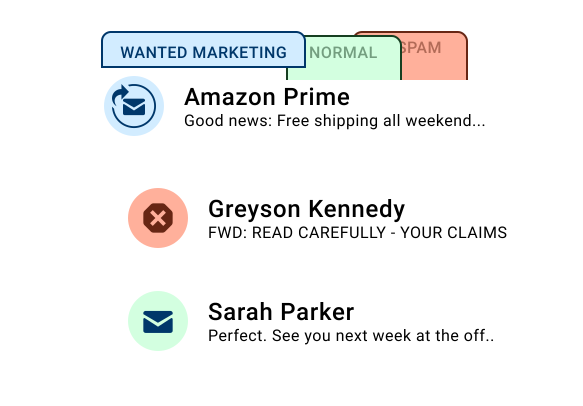
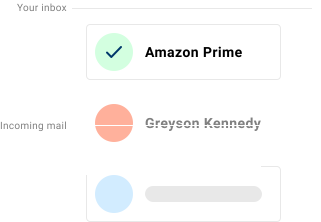
Spamdrain arbeitet mit Ihrer GMX E-Mail-Adresse und reduziert unerwünschte Nachrichten auf iPhone. Der Dienst überwacht Ihr Postfach und entfernt Spam schnell, damit Sie Adresse und Apps weiter nutzen können.
GMX Freemail, ProMail und TopMail werden auf iPhone oft in Apple Mail gelesen, während Webmail für schnelle Kontrollen bleibt. Spamdrain reduziert Katalognewsletter, gefälschte GMX-Warnungen und Marken-Spoofing vor dem iPhone-Abruf.

Was Spamdrain auf iPhone filtert
Spamdrain arbeitet unabhängig von Ihrem iPhone Gerät und Ihrer E-Mail-App.
- Unerwünschte Newsletter und Massenmails
- Phishing und Betrugsnachrichten
- Gefälschte E-Mails, die vertrauenswürdige Absender vortäuschen
- Wiederkehrende unerwünschte Absender
Prüfen Sie blockierte E-Mails jederzeit und erlauben Sie Nachrichten, die versehentlich gefiltert wurden.
Warum Spam weiterhin auf iPhone erscheint
Die meiste Filterung geschieht beim E-Mail-Anbieter. Auch wenn GMX einen Teil des Spams blockiert, können Graumail und neue Spam-Methoden durchrutschen. Eine zusätzliche Ebene hält den Posteingang sauberer.

So funktioniert Spamdrain mit GMX auf iPhone
GMX E-Mail verbinden
Verbinden Sie Ihr GMX Postfach einmalig. Ein App-Wechsel ist nicht nötig.
Wir prüfen jede eingehende E-Mail
Spamdrain filtert Spam, Betrugsversuche und Graumail vor der Zustellung.
Spam und Betrug werden herausgefiltert
Verdächtige Nachrichten werden zurückgehalten, damit Ihr Posteingang sauber bleibt.
E-Mails normal auf iPhone lesen
Nutzen Sie Ihre bevorzugten iPhone E-Mail-Apps wie gewohnt weiter.
Kompatibel mit iPhone E-Mail-Apps
- Apple Mail
- Outlook for iOS
- Gmail app
Sie müssen keine separate iPhone App installieren, um von der Filterung zu profitieren.
Datenschutz und Kontrolle
- Blockierte E-Mails jederzeit prüfen
- Absender mit einem Klick erlauben
- Filterstärke anpassen
- Ihre E-Mails bleiben privat und unter Ihrer Kontrolle
Was die Nutzer sagen

Deine Daten bleiben privat
Du zahlst einen geringen Betrag an uns, damit wir deine Daten niemals an Dritte verkaufen müssen (im Gegensatz zu vielen anderen). Wir konzentrieren uns stattdessen voll und ganz darauf, dir den besten Spam-Filter der Welt anzubieten.
Häufig gestellte Fragen
Wenn Sie offizielle Einrichtungs- oder Kontoinformationen benötigen, können diese Ressourcen helfen:
GMX Spam auf iPhone stoppen
Starten Sie die kostenlose 14-Tage-Testphase und halten Sie Ihren Posteingang sauber.