Spamfilter für Outlook.com auf Android
Reduzieren Sie Spam, Phishing und Junk-Mail in Ihrem Outlook.com Postfach auf Android – ohne E-Mail-Adresse oder App zu wechseln.
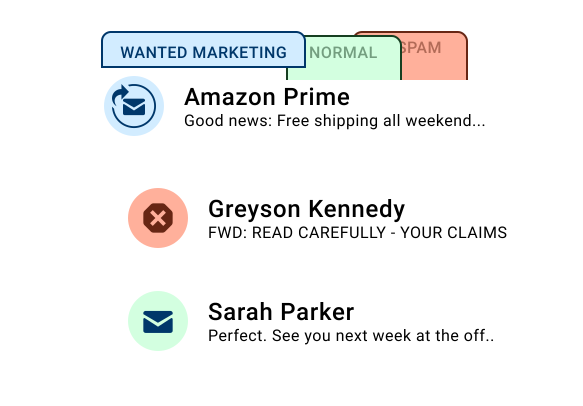
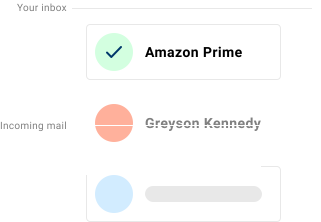
Wenn Sie Outlook.com E-Mails auf Ihrem Android Smartphone lesen, erhalten Sie möglicherweise weiterhin Spam, Phishing-Versuche und unerwünschte Newsletter – selbst mit aktiviertem integriertem Spamfilter. Spamdrain überwacht das Postfach und entfernt unerwünschte Nachrichten schnell, damit Gmail oder andere Android E-Mail-Apps stärker auf Wichtiges fokussiert bleiben.
Outlook.com auf Android wird oft in Outlook, Gmail oder Samsung Email geprüft. Spamdrain filtert auf Postfachebene, sodass jede App weniger Spam sieht.

Was Spamdrain auf Android filtert
Spamdrain arbeitet unabhängig von Ihrem Android Gerät und Ihrer E-Mail-App.
- Unerwünschte Newsletter und Massenmails
- Phishing und Betrugsnachrichten
- Gefälschte E-Mails, die vertrauenswürdige Absender vortäuschen
- Wiederkehrende unerwünschte Absender
Sie können blockierte E-Mails jederzeit prüfen und Nachrichten erlauben, falls etwas versehentlich gefiltert wurde.
Warum Spam weiterhin auf Android erscheint
Die meiste Spamfilterung findet beim E-Mail-Anbieter statt – nicht auf dem Telefon selbst. Auch wenn Outlook.com einen Teil des Spams blockiert, sind viele unerwünschte E-Mails darauf ausgelegt, einfache Filter zu umgehen oder in einer Grauzone zu landen. Spamdrain ergänzt eine strengere Filterebene und lernt schnell aus Ihrem Feedback.

So funktioniert Spamdrain mit Outlook.com auf Android
Outlook.com E-Mail verbinden
Verbinden Sie Ihre E-Mail-Adresse in wenigen einfachen Schritten mit Spamdrain.
Wir prüfen jede eingehende E-Mail
Spamdrain bewertet Nachrichten beim Eintreffen, bevor sie Ihr Android Gerät erreichen.
Spam und Betrug werden herausgefiltert
Unerwünschte E-Mails werden verschoben, damit sie Ihren Posteingang nicht überfüllen.
E-Mails normal auf Android lesen
Nutzen Sie Gmail oder Ihre bevorzugte Android E-Mail-App weiter. Keine Änderungen nötig.
Kompatibel mit Android E-Mail-Apps
- Gmail app
- Outlook for Android
- Samsung Email and other IMAP-compatible apps
Sie müssen keine separate Android App installieren, um von der Filterung zu profitieren.
Datenschutz und Kontrolle
- Blockierte E-Mails jederzeit prüfen
- Absender mit einem Klick erlauben
- Filterstärke anpassen
- Ihre E-Mails bleiben privat und unter Ihrer Kontrolle
Was die Nutzer sagen

Deine Daten bleiben privat
Du zahlst einen geringen Betrag an uns, damit wir deine Daten niemals an Dritte verkaufen müssen (im Gegensatz zu vielen anderen). Wir konzentrieren uns stattdessen voll und ganz darauf, dir den besten Spam-Filter der Welt anzubieten.
Häufig gestellte Fragen
Wenn Sie offizielle Einrichtungs- oder Kontoinformationen benötigen, können diese Ressourcen helfen:
Outlook.com Spam auf Android stoppen
Starten Sie die kostenlose 14-Tage-Testphase und halten Sie Ihren Posteingang sauber.