Spam filter for Yahoo Mail on Android
Reduce spam, phishing, and junk mail in your Yahoo Mail inbox on Android - without changing email address or app.
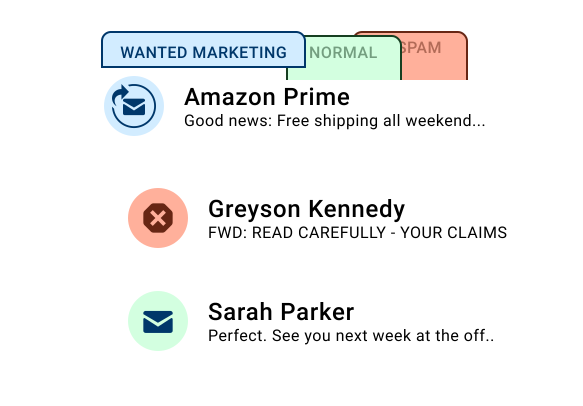
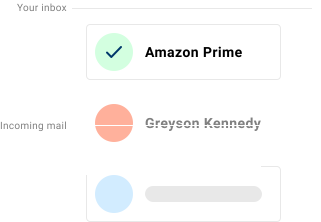
If you read Yahoo Mail email on your Android phone, you may still receive junk mail, phishing attempts, and unwanted newsletters - even when built-in spam filtering is enabled. Spamdrain monitors the mailbox and removes unwanted messages quickly, helping Gmail or other Android email apps stay focused on important messages.
On Android, Yahoo Mail is often split across the Yahoo app, Gmail, and Outlook. Spamdrain monitors the mailbox directly, helping cut down old-list mail and fake recovery messages before they sync.

What Spamdrain filters on Android
Spamdrain works independently of your Android device and email app.
- Junk newsletters and mass email
- Phishing and scam messages
- Spoofed emails pretending to be trusted senders
- Repetitive unwanted senders
You can review blocked emails at any time and allow messages if something is filtered by mistake.
Why spam still appears on Android
Most spam filtering happens at the email provider level - not on the phone itself. While Yahoo Mail blocks some spam, many unwanted emails are designed to bypass basic filters or fall into a gray area between legitimate and unwanted. Spamdrain adds a stricter filtering layer and learns quickly from your feedback.

How Spamdrain works with Yahoo Mail on Android
Connect your Yahoo Mail email
Connect your email address to Spamdrain in a few simple steps.
We check every incoming email
Spamdrain evaluates messages as they arrive before they reach your Android device.
Spam and scams are filtered out
Unwanted email is moved away so it does not clutter your inbox.
Read email normally on Android
Keep using Gmail or your preferred Android email app. No changes required.
Compatible with Android email apps
- Gmail app
- Outlook for Android
- Samsung Email and other IMAP-compatible apps
You don’t need to install a separate Android app to benefit from filtering.
Privacy and control
- Review blocked email anytime
- Allow senders with one click
- Adjust filtering strictness
- Your email remains private and under your control
What Customers Are Saying

Your data remains private
You pay us a small fee so we never need to sell your data to anyone (unlike many others). We instead focus entirely on providing you with the best spam filtering in the world.
FAQ
If you need official setup or account information, these resources may help:
Stop Yahoo Mail spam on Android
Start your free 14-day trial and keep your inbox clean.